rfSentry
A signal crosses the waterfall and disappears before you can tune it. In rfSentry, you can rewind the radio samples in your browser, tune to the signal you missed, and listen again. Out at the antenna, the receiver keeps going.
rfSentry turns a Raspberry Pi and an RTL-SDR into a listening station for your local network. The Pi receives the radio signal and serves the workstation to your browser. Once set up, you can take the station off the internet and keep listening, decoding and exploring the built-in map over the LAN.
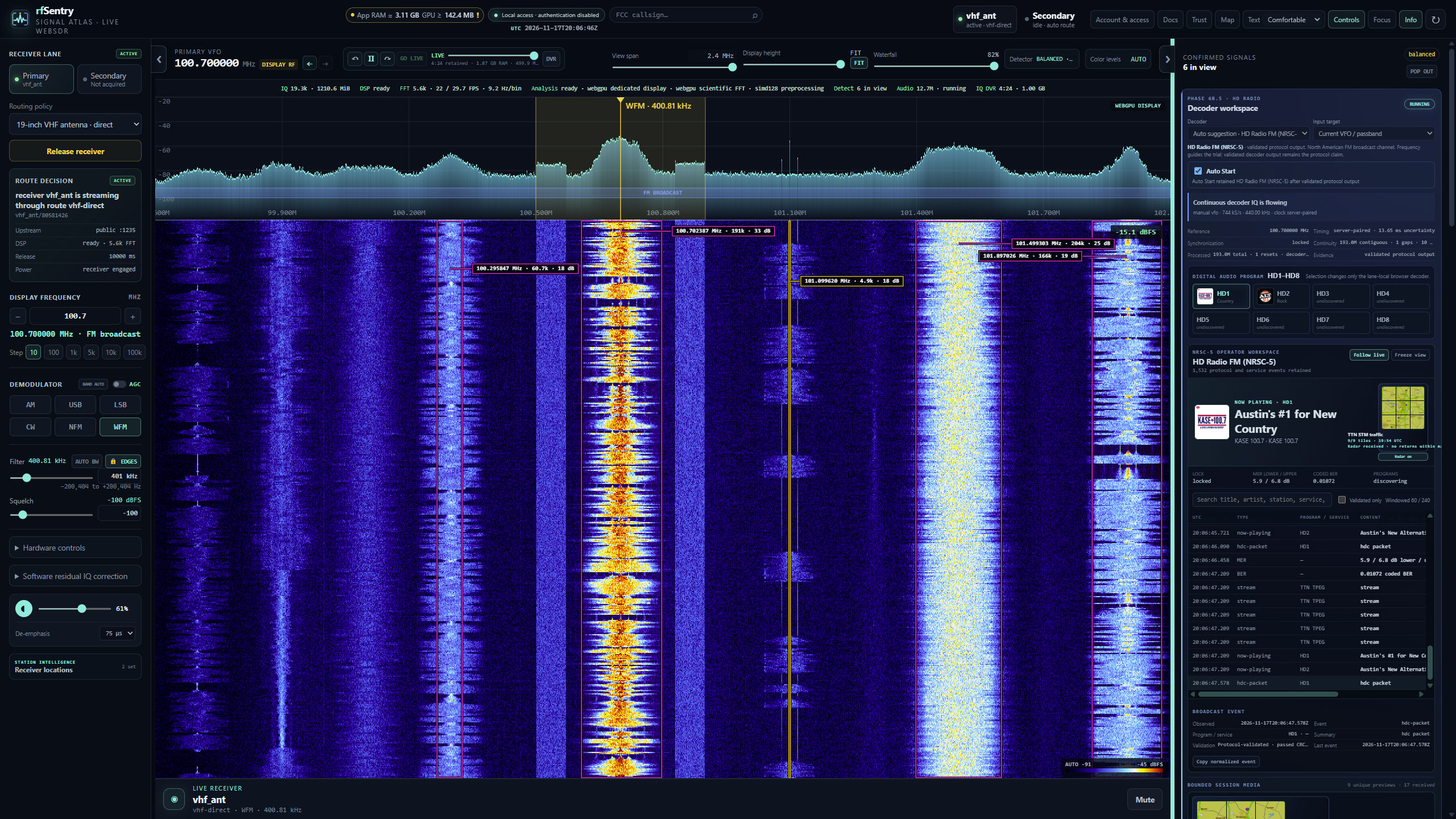
What you can pick up
Try the rewind dial. Find two nearby FM stations that fit inside one receiver's capture bandwidth. Listen to the first for a minute, rewind, then tune to the second inside that recording. You can hear what both were airing at the same moment because the browser kept the radio samples across that whole slice of spectrum. Listening and timeshift controls
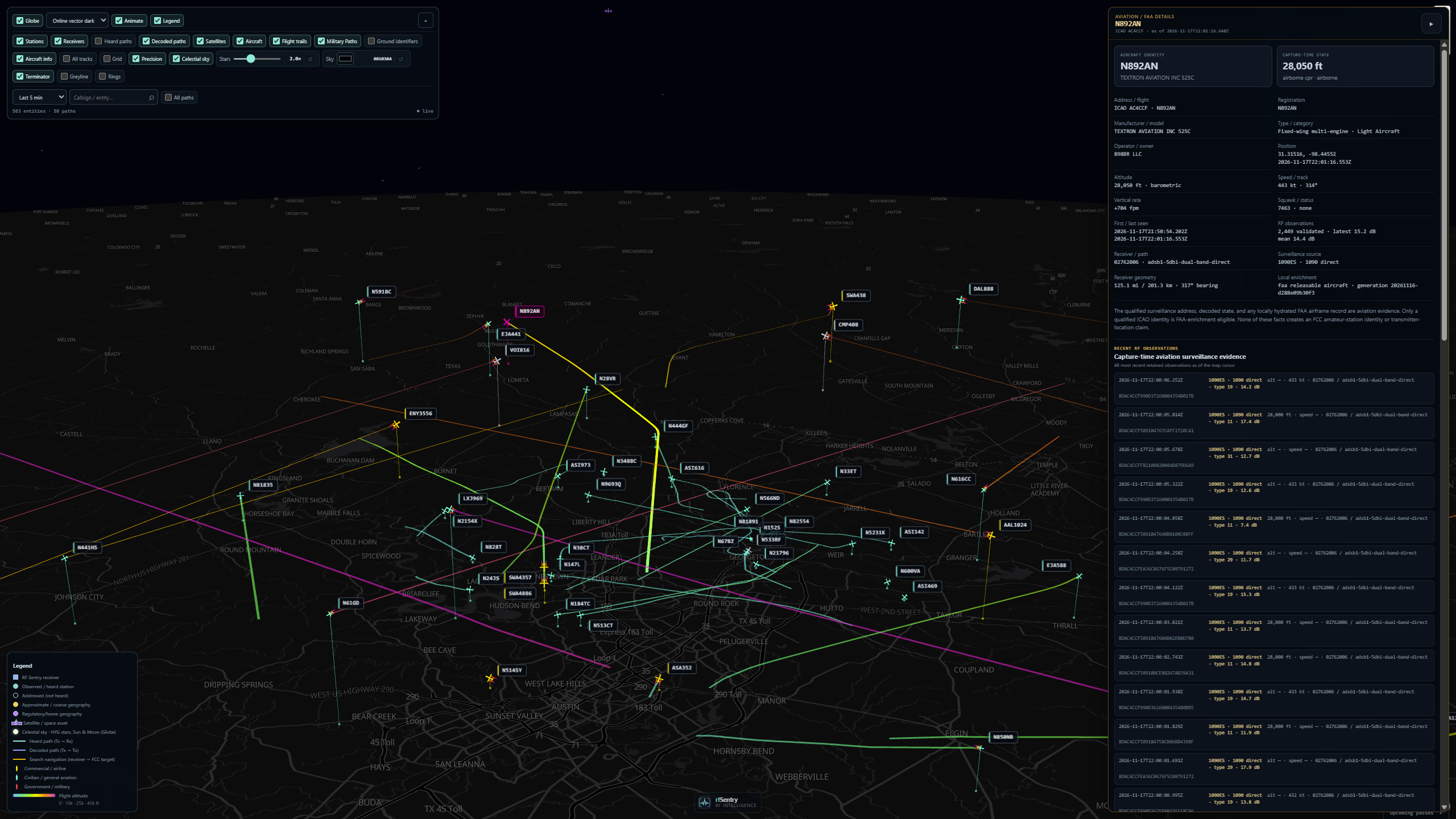
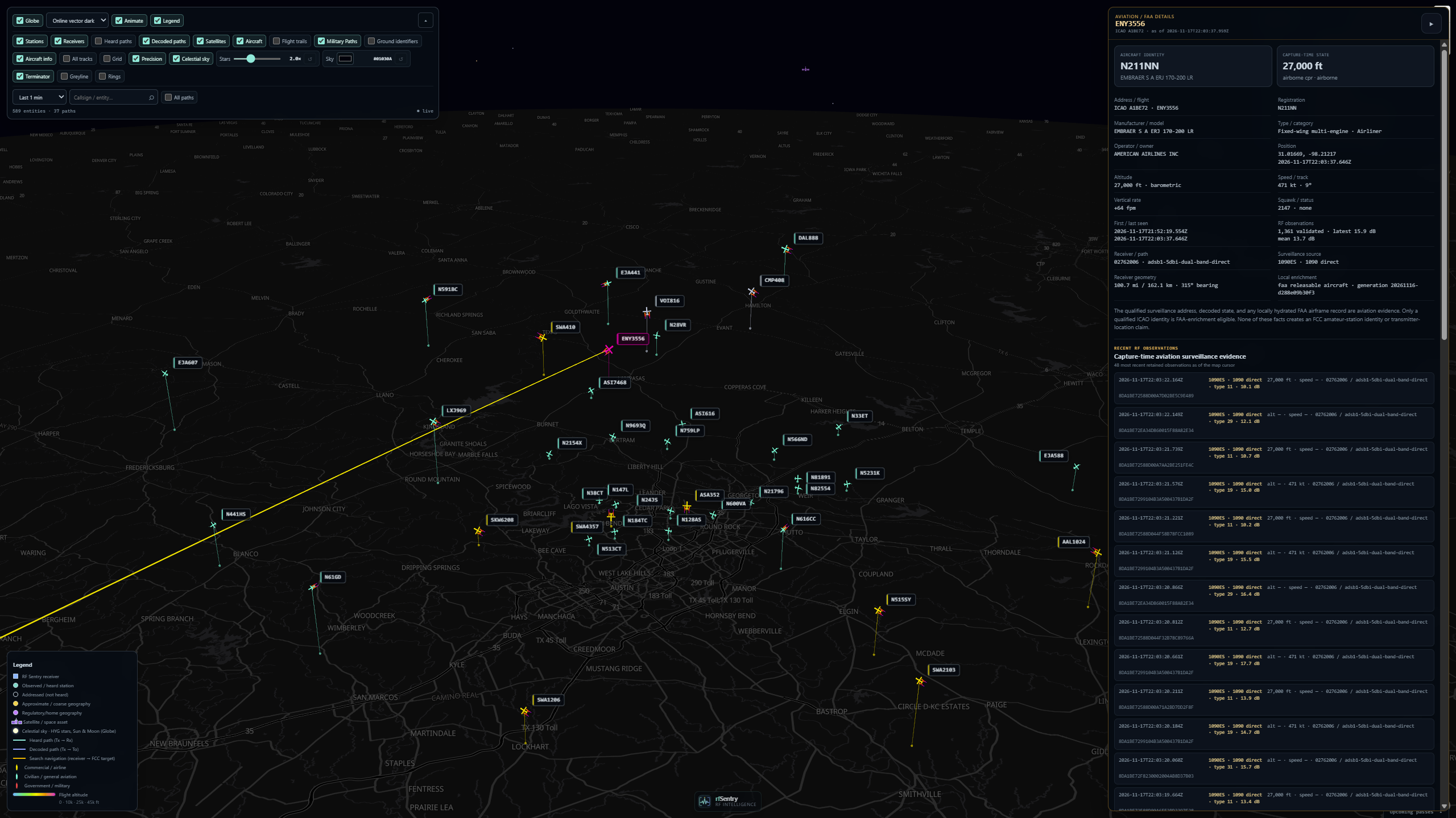
Follow an aircraft from a radio frame to a map track. Tune to 1090 MHz for ADS-B extended squitter or, where available, 978 MHz for UAT. Select an aircraft on the map to see the positions and altitudes it reported. Rewind to an earlier point in the capture and the track shows the positions received up to that moment. Aviation workspace
| Aircraft tracks across the region | A selected aircraft and its reception history |
|---|---|
 |
 |
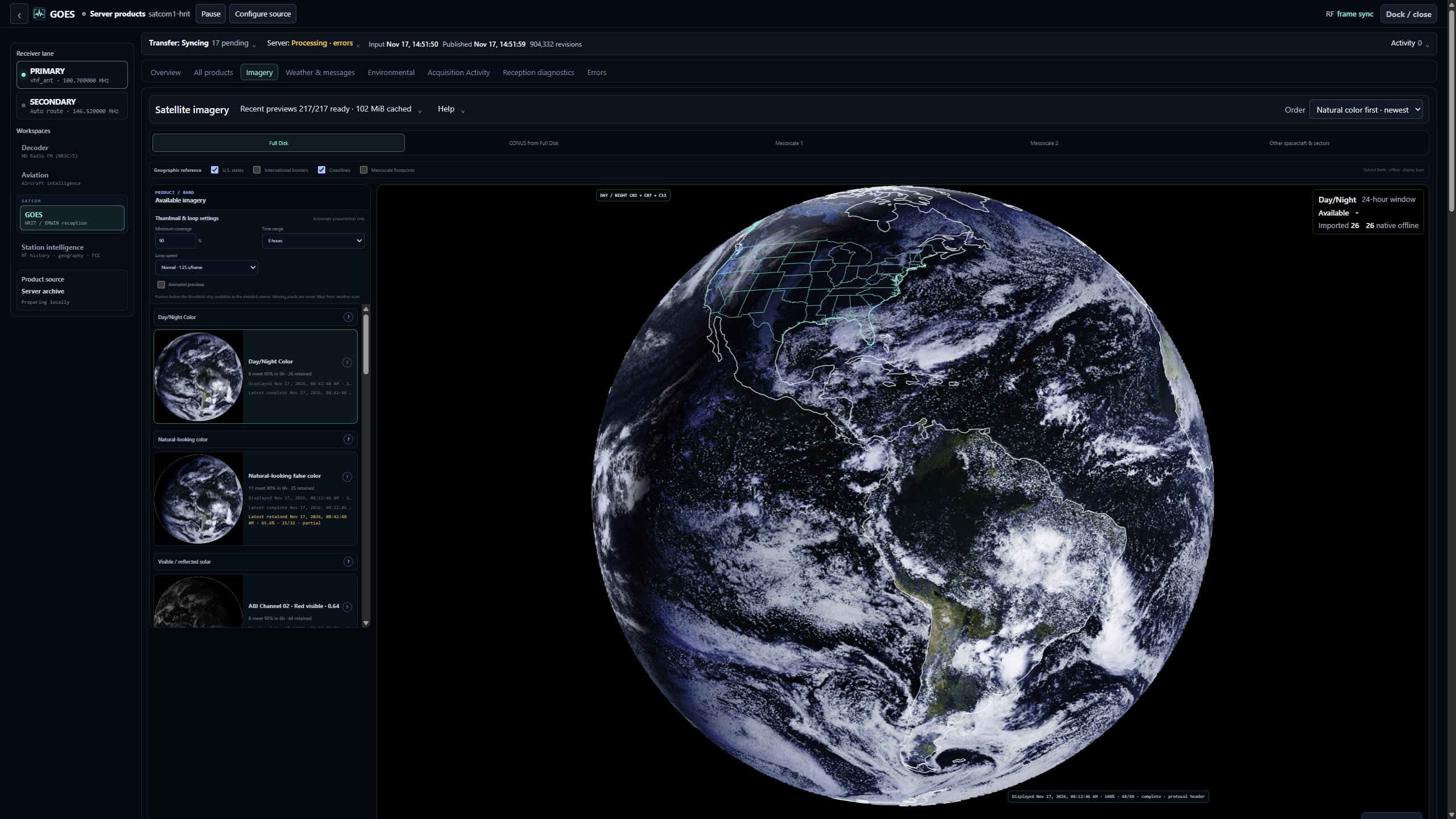
Receive weather from orbit. With a dish and receive chain suited to the GOES HRIT/EMWIN downlink, you can watch the decoder acquire frame lock and see weather imagery and bulletins arrive. Open a partial image to see which strips made it through, or inspect the original received file behind a product. GOES reception · Imagery and weather products
| GOES-19 Day/Night Color loop | Full-disk imagery in the decoder workspace |
|---|---|
 |
 |
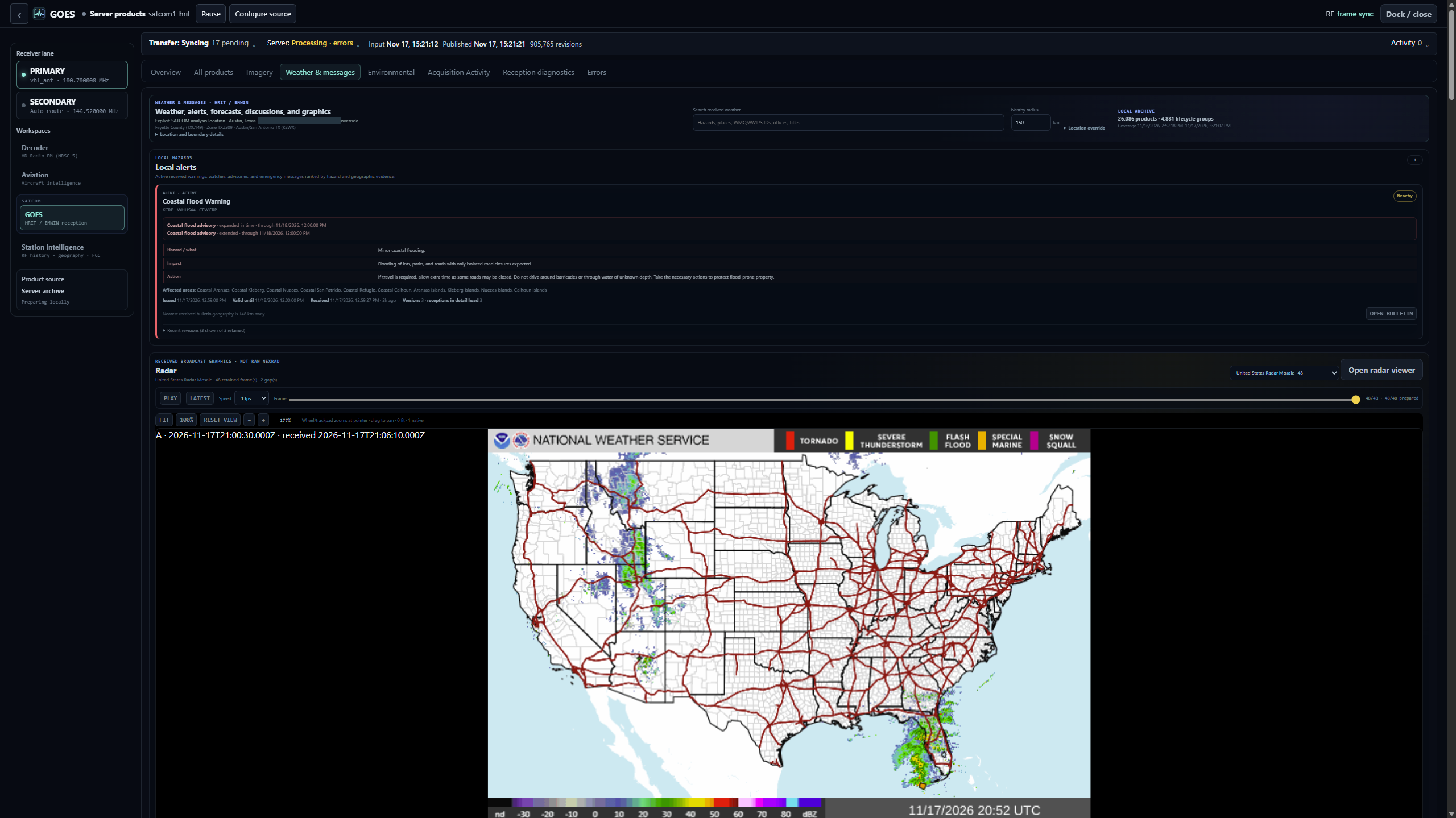
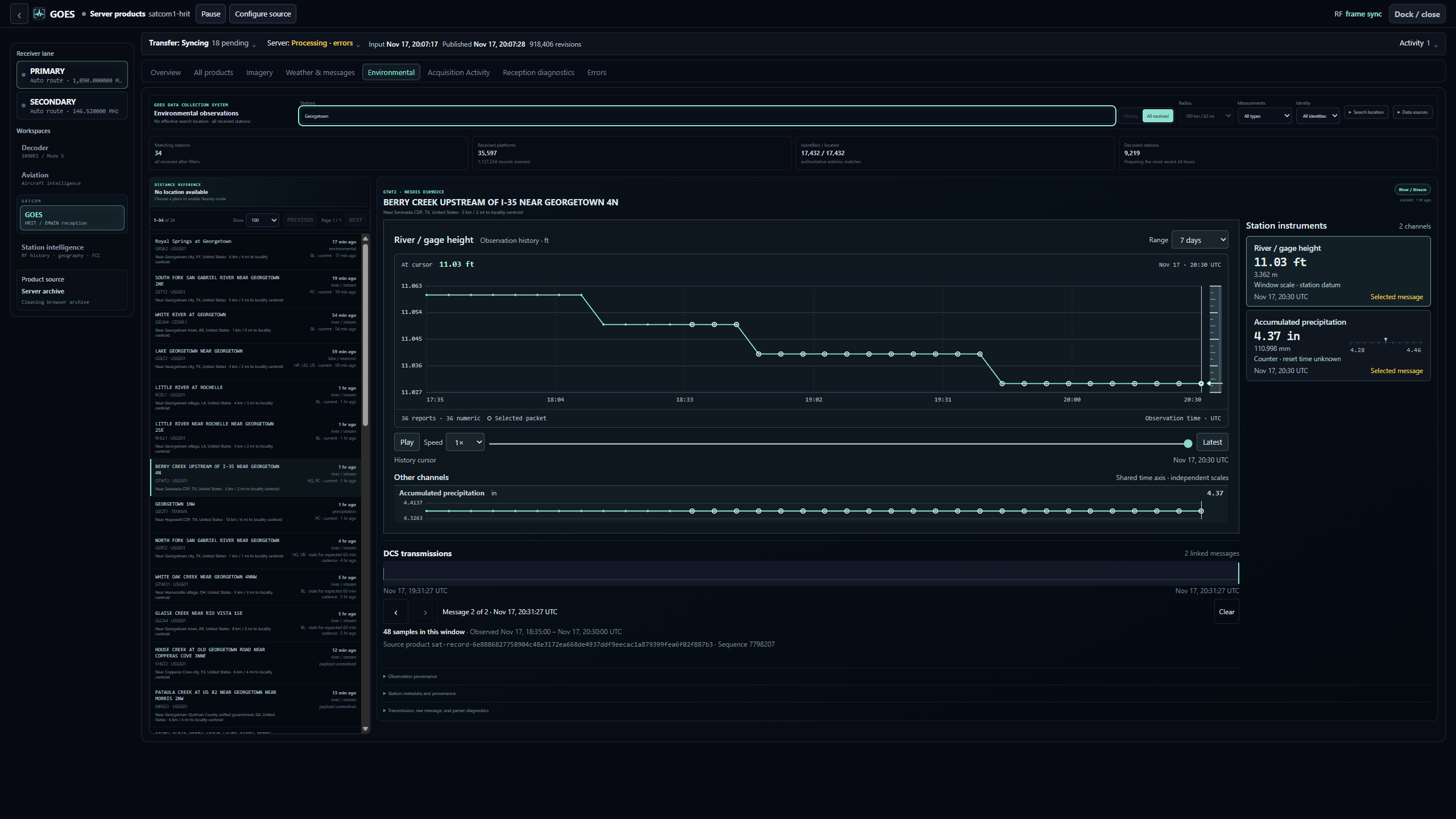
The downlink carries more than imagery. Browse a received radar graphic, or select a transmission in the environmental field recorder to see which river gauge and rainfall readings arrived together.
| Weather and radar | Environmental field recorder |
|---|---|
 |
 |
There are also browser decoders for FT8 and FT4 weak-signal traffic and NRSC-5 digital radio. The catalog lists each decoder's input requirements. Positive NRSC-5 AM reception and the wider GOES reliability checks remain open. Aviation and weather displays are experimental and unsuitable for flight operations. Decoder catalog · Verification records
Keep the station running overnight
For interactive listening, the browser plays the audio and keeps the raw radio samples (IQ) for replay. For unattended GOES reception, configure and enable a continuous HRIT decoder job on the Pi. Close the laptop and the job keeps receiving. Open Appliance records in the GOES workspace to read the decoded frames still in the Pi’s RAM buffer. Continuous decoder jobs
For a longer record, pair an optional rfSentry Server on a separate Linux machine, choose a disk budget and enable archiving for the stream you want to keep. With product processing enabled, the Server can reconstruct supported GOES imagery and messages for you to browse the next morning. A fresh Server allows anonymous administration by default, so set it up on a trusted LAN and enable sign-in before giving other users network access. Server setup · Choosing a record source

Before you go off-grid
Choose a local health target or observation-only mode
so a missing gateway on a field LAN does not trigger automatic recovery.
Install the appliance, connect the workstation over your local network and
verify HTTPS trust while you're setting up. Download any FCC or FAA reference
data you want to take with you. Reception comes from your antenna, and the Pi
serves the application, geographic basemap and operator manual locally. You
can open the manual at /docs/ from the station even when the internet is down.
Refreshing external datasets and viewing optional online map tiles require
connectivity. Local datasets · Appliance identity and trust
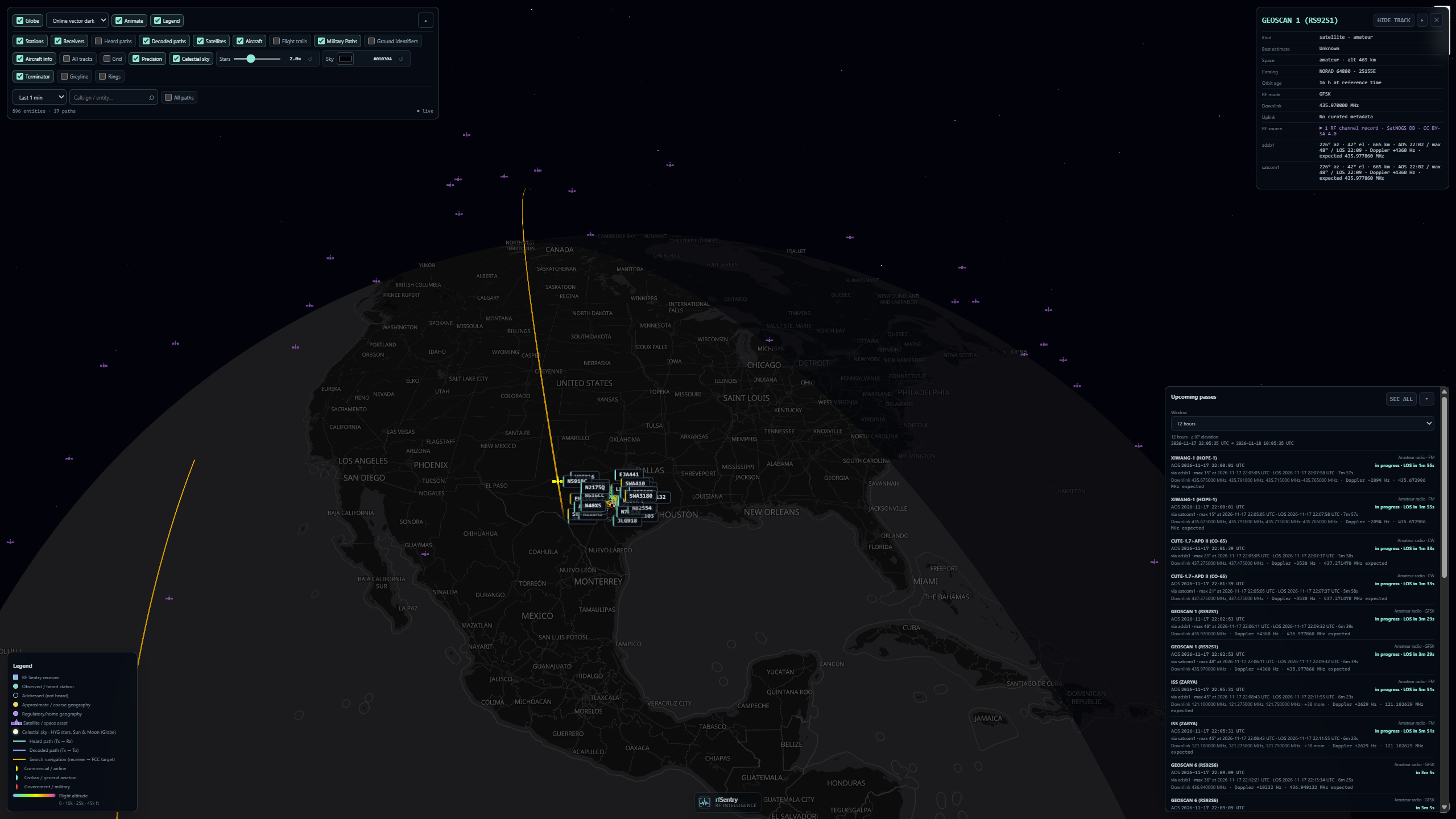
The globe view uses locally cached orbital data to plot a satellite’s predicted ground track. Map and reference time
Platforms and prerequisites
The appliance installation path targets Raspberry Pi OS/Debian with systemd,
RTL-SDR support and operator-reviewed receiver/USB policy. The public
profiles/example is a synthetic Pi 5 template,
not a hardware detector, universal preset or a claim that every pictured device
is required. Confirm your serials, routes, translation offsets, accessories,
clock/health policy and actual power behavior before installation.
Chrome or Chromium on a desktop is the reference browser. The browser DSP guide describes GPU and CPU paths, and the GOES guide covers the memory and storage features needed to reconstruct products. Full mobile performance qualification is still open.
Workstation utility build targets cover Linux, Windows and macOS on AMD64 and ARM64. Optional Server packages target Debian AMD64/ARM64. Package architecture coverage is distinct from qualification of every physical machine or browser. See workstation setup and Server operation.
Get started
Start on the Pi with the synthetic example profile.
git clone https://github.com/repbytes/rfsentry.git
cd rfsentry
./install.sh --check --profile example
--check validates the profile files and enables the repository’s Git hooks.
Route validation needs GCC or an existing gateway binary. If neither is
available, the check reports incomplete and exits with status 2. You’ll verify
USB power and reception on your own hardware after setup.
For a fresh appliance, follow the
installation guide to prepare a
reviewed private profile and explicit appliance identity. Keep actual deployment
configuration in ignored config/local/ or private operator storage.
# Only after customizing and checking both private inputs:
sudo ./install.sh --install \
  --profile-dir config/local/hardware-profile \
  --appliance-config config/local/appliance.conf
A fresh install without private hardware configuration is rejected. The example identity is never selected automatically. Do not copy its serials, network identity or firmware assumptions into a live installation unchanged.
For a normal upgrade with complete installed configuration:
The installer validates and preserves installed receiver, route/spur, USB/accessory, health, Chrony and boot-firmware policy. Identity, API policy, credentials, trust, QoS and saved-job behavior have specific rules in hardware profiles and upgrades. Software, service units and managed integration files are updated.
Full installation interrupts acquisition. Saved enabled jobs resume when
services start. Check your interactive receiver lanes after reconnecting.
--no-start still installs files and stops services, leaving them stopped.
Use --check for preflight.
After installation, open the configured canonical HTTPS origin. Use the
appliance's /trust/ onboarding and independently verify its root fingerprint
where private-CA mode is selected. Keep one canonical browser origin for durable
state; do not bypass TLS validation to work around setup errors.
Operate and investigate
- First receiver and basic operation
- Receiver controls, detection and decoder workspace
- Continuous jobs, record sources and storage/retention
- Appliance identity/TLS, network QoS and troubleshooting
- Operator quick reference
Use configured receiver identities and ports. Examples are illustrative; status queries should not wake receivers. Service restarts and device-control commands can interrupt active clients and require an appropriate maintenance window.
Develop and contribute
Have a decoder edge case you can reproduce, a receiver setup other builders could learn from, or an installation step that left you guessing? A small shareable replay fixture with the expected decode, a synthetic profile example, or a guide correction all make good first contributions.
To propose a change, open an issue describing the problem and expected
behavior. If you already have a fix, link your fork’s commit or attach a
reviewable patch and include the focused test result. The maintainer reviews
changes and publishes signed commits to main. Use the private reporting channel for security issues.
Start with the topic that interests you. The roadmap lists open work in receiver DSP, decoders, aviation, SATCOM and Server development. The build guide shows how to run focused checks with the project's pinned tools. Topic roadmap · Build guide · Contributor instructions
Security and licensing
Read SECURITY.md before reporting a vulnerability or publishing configuration/evidence. Noncredential deployment information can still be private. Preserve intentional contributor attribution and upstream notices.
rfSentry is licensed under GPL-3.0-or-later. Third-party code, protocol implementations and datasets retain their respective notices; consult third-party provenance and the component license files before redistribution.